

Managing Public Results-Reports
What's on this page
Attention: On April 1, 2027, Legacy Results-Reports will no longer be available, and you will only be able to use Results-Dashboards. While some reports will be automatically migrated, custom content will need to be saved or moved over manually before this date. See the migration guide.

Qtip: There is a new version of Results available. To opt in to the new Results Dashboards, navigate to the Results tab and click Try it now.


About Managing Public Results-Reports
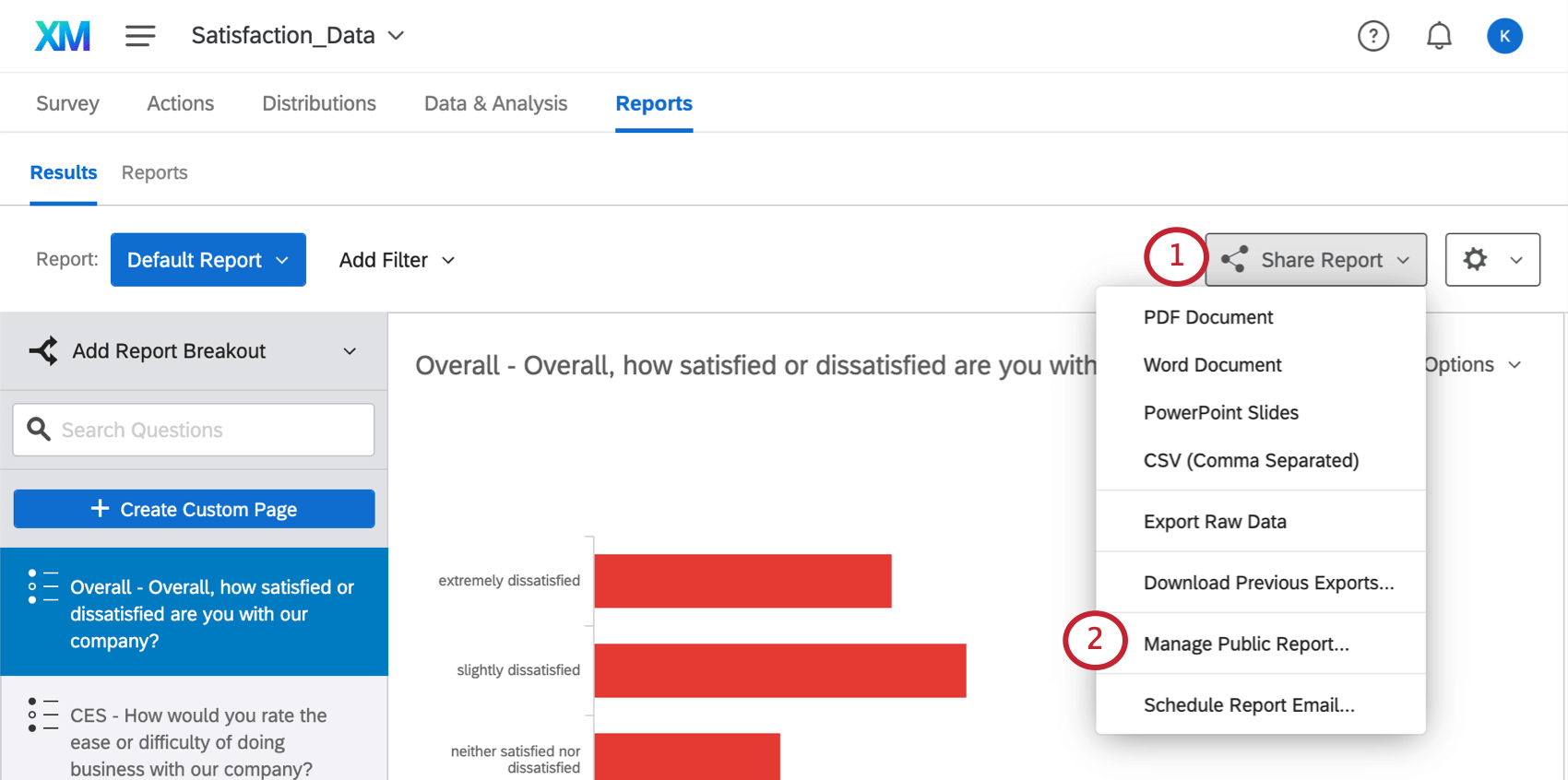
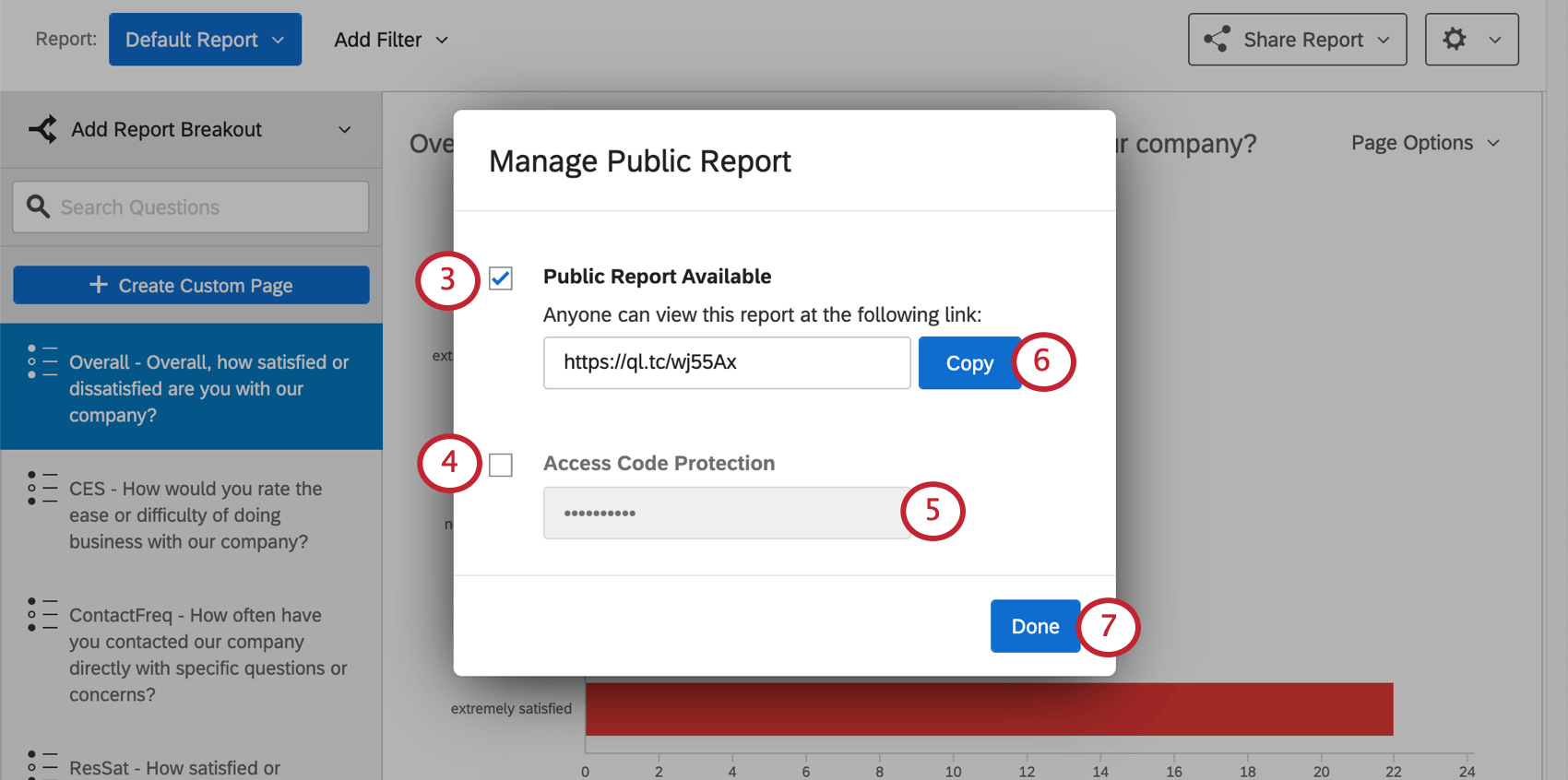
You can publish your each of your results-reports to the web. Your associates won’t need to have a Qualtrics account to view the reports; they’ll just need the link you provide. This link will update whenever new responses come in, so that whenever someone opens the link or refreshes the page, they’ll be seeing the most recent data.
Qtip: You can also share your reports by sharing your project to a colleague’s account. Having a shared project allows you to share that project’s Results section directly with your colleagues. You and your colleagues can view, edit, and create reports.
Publishing a Results-Report
Hiding Pages
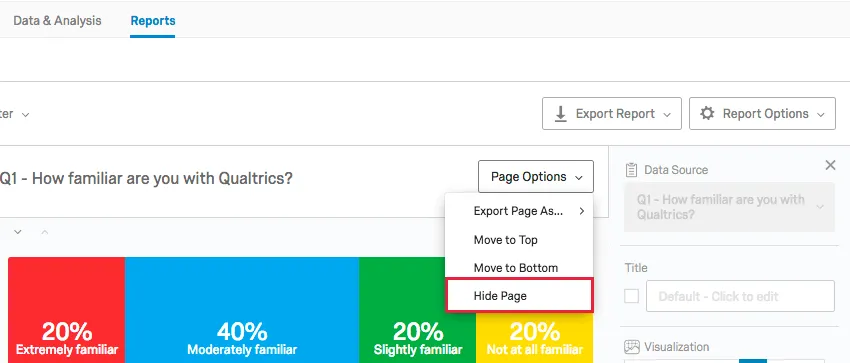
Oftentimes, there will be certain pages or worksheets you don’t want to display in your published report. To hide a page, simply click the Page Options menu and select Hide Page.
Hidden pages appear grayed out in your page list and and will have a yellow bar across the top of the report editor.
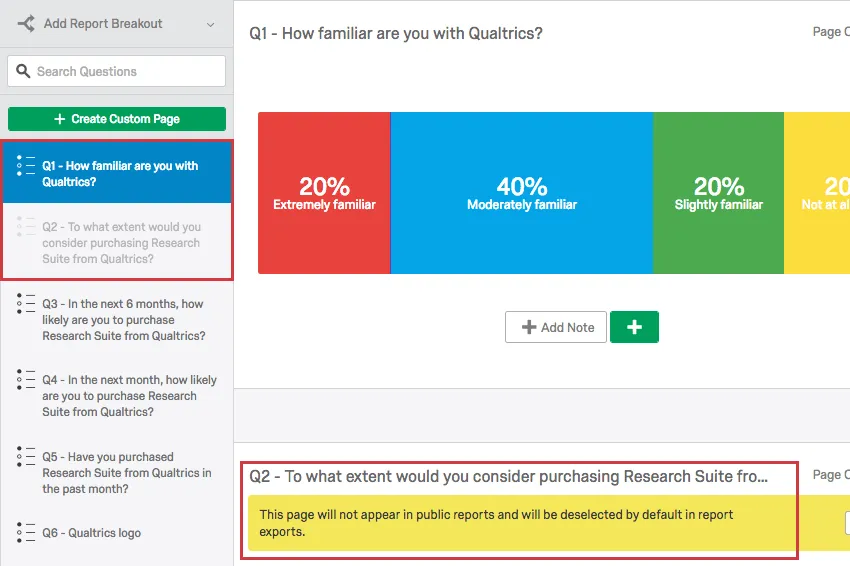
At any time, you can choose to again display the page by clicking Page Options again and selecting Unhide Page.
FAQs
When will I lose access to Results-Reports?
When will I lose access to Results-Reports?
- November 1, 2026: You can no longer create new Legacy Results-Reports, for either existing or new survey projects. Existing Legacy Results-Reports will still be viewable and editable.
- March 17, 2027: You can no longer edit existing Legacy Results-Reports. Existing Legacy Results-Reports will still be viewable.
- April 1, 2027: Question pages automatically move to Results Dashboards. Legacy Results-Reports is completely removed from Qualtrics, and old reports are no longer accessible.
Qualtrics may, in its sole discretion and without liability, change the timing of any product feature rollout, change the functionality for any in preview or in development product feature, or choose not to release a product feature or functionality for any reason or for no reason.
That's great! Thank you for your feedback!
Thank you for your feedback!